

Recover from a Delivery Failure
Goal: reproduce an isolated Destination error, locate its cause in Control, restore the receiver, and verify new successful delivery.Screen version: The numbered images are historical Control UI test captures. Follow the current five-step flow (Connect → Sample & Record Selection → Destinations → Route Processing → Deploy), not older step ordering. See the numbered screenshot guide.
When to use this scenario
This scenario builds on an existing Connector, Destination and Stream. If you have not configured a Source yet, start from the connector-specific collection guides. Follow the concrete steps below and verify actual Logs and Destination/quarantine evidence. Existing test screenshots are illustrative, not runtime proof.Starting state
Complete Webhook → first delivered event. The test receiver on port 9011 must have already returned HTTP 200 and recorded a successful event. Do not perform fault injection against a production Destination.1. Reproduce a receiver-side error
- Stop the test HTTP receiver (
Ctrl+C). - Restart in intentional failure mode:
- Send a new unique event into the same Control Webhook Receiver:
2. Locate the affected Route
- Open Dashboard and look for an abnormal delivery state.
- Drill into Data Flows / Routes (
/routes) and find the Stream’s Destination/Route. - Open Logs (
/logs), filter by Stream, Route, time range, and failure status. - Open the detail of a failed attempt. Record the run ID, route ID, stage, HTTP 503/result, retry/failure policy, and latest failure time.
- If available, inspect the Stream runtime/checkpoint view for pending work. Do not assume checkpoint advanced merely because ingestion succeeded.
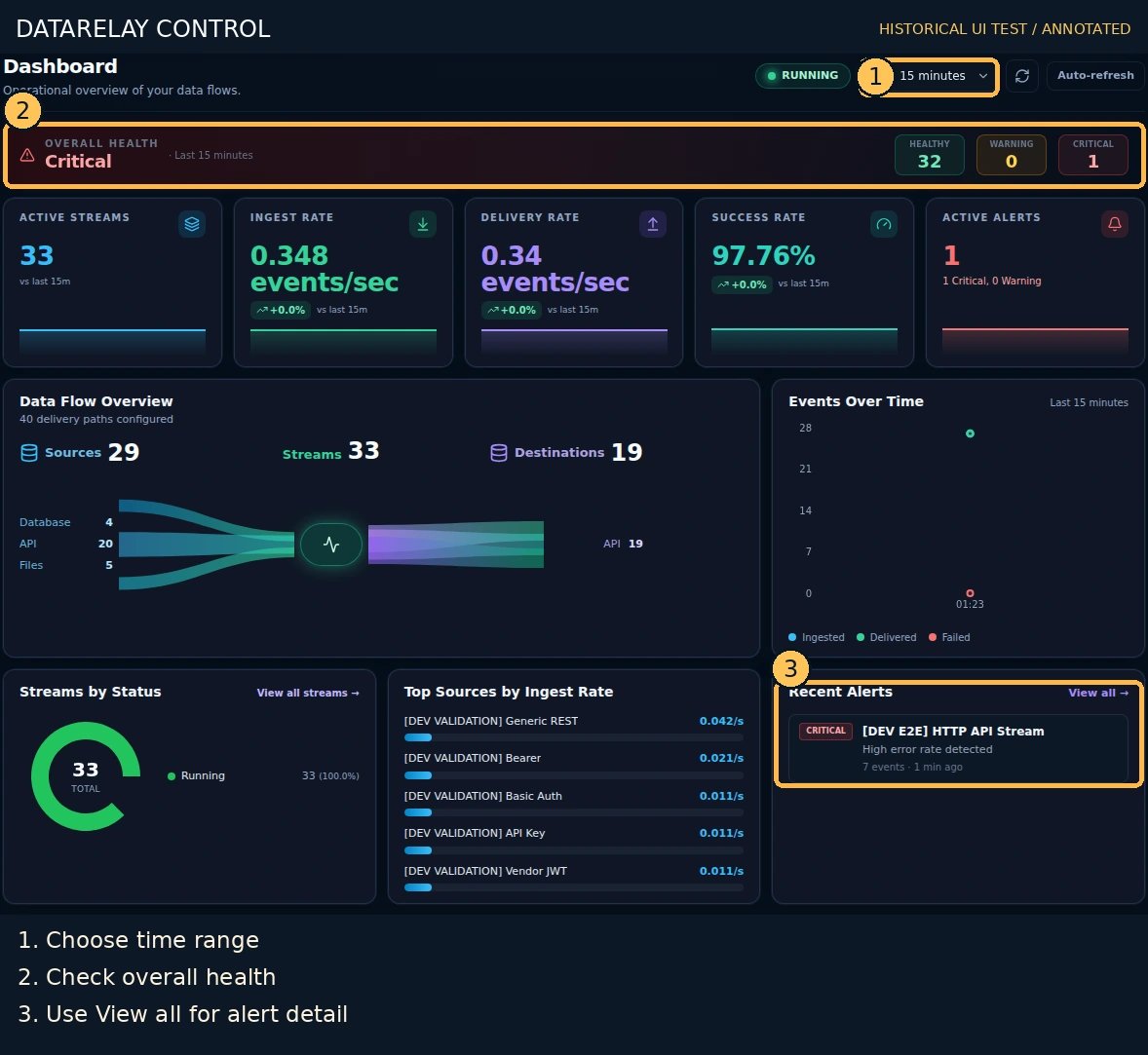
3. Restore the service
- Stop the failing test receiver.
- Start it again with a successful response:
- Send another unique event (
delivery-recovered-001). - Verify this event appears in
received-9011.ndjsonand has matching successful Route delivery evidence.
4. Decide what to do with the failed event
Inspect the recorded delivery failure and configured retry/queue behavior. If it was automatically retried and delivered, do not replay it again. If a replay control is available and authorized, use it only after confirming duplicate handling with the receiving system. A failover Destination may be configured through Route Delivery settings where supported, but a single recovered receiver does not prove automatic failover. Test both routes independently if you need failover acceptance.Completion check
PASS = observed failed attempt with explicit reason, receiver recovery, successful new event in independent sink and Logs. Failed-event recovery is separately classified as delivered, queued, dropped, or unresolved based on actual evidence.If it fails
- No failure logged: check whether the Stream/Route was running and whether a retry masked the failure.
- No new receipt after recovery: confirm correct Destination URL, current Route enabled status, port/firewall and receiver output.
- Unexpected success state: compare the exact run/event IDs; avoid using aggregate dashboard metrics as per-event proof.
- Analytics deep link loses filter: current development E2E recorded a redirect to the generic Dashboard; use explicit Logs filters instead (issue #413).