

Handle Schema Changes
Goal: detect a new field in incoming events, distinguish observation from confirmed drift, and decide what to do before allowing deliveries.Screen version: The numbered images are historical Control UI test captures. Follow the current five-step flow (Connect → Sample & Record Selection → Destinations → Route Processing → Deploy), not older step ordering. See the numbered screenshot guide.
When to use this scenario
This scenario builds on an existing Connector, Destination and Stream. If you have not configured a Source yet, start from the connector-specific collection guides. Follow the concrete steps below and verify actual Logs and Destination/quarantine evidence. Existing test screenshots are illustrative, not runtime proof.1. Start with known events
Create a Stream using the HTTP or Webhook guide. Send several synthetic events containing: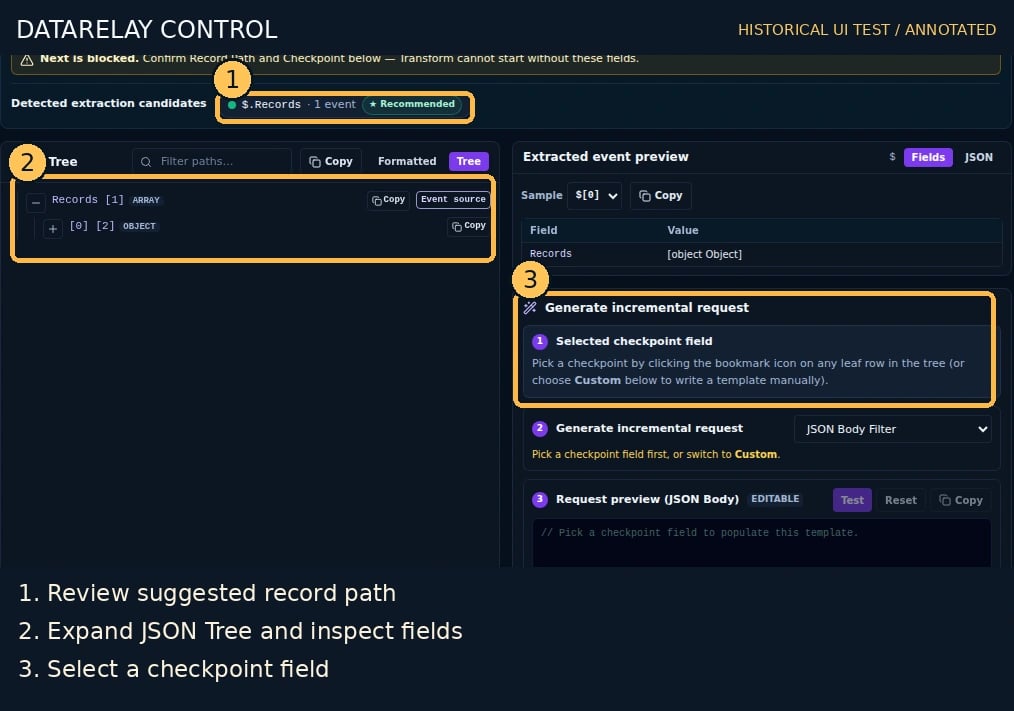
2. Send a changed event
Send another synthetic event through the same receiver:3. Select a handling policy
- Open Stream Edit → Route Processing → Protection / Schema Drift Policy (or the corresponding Route editor).
- For ordinary unknown fields, review the default Pass Through behavior; change to Require Review or Quarantine only when needed.
- For suspected sensitive fields such as email or API keys, review any sensitivity suggestion and explicitly choose an appropriate protection/review action. Automatic suggestions must not silently activate a policy.
- Keep the Stream-level Union Schema baseline shared by Routes; use per-Route overrides only for destination-specific treatment.
- Save, verify the effective configuration and distinguish Observed from Confirmed Drift in operational evidence.
4. Verify the result
Send a second changed event with a unique ID. Inspect Logs, Stream/Route details, policy warnings, and the actual receiver payload or held-event record. Confirm ordinary fields follow the selected policy and sensitive fields are not unexpectedly exposed. PASS = changed fields are visible in the observation/evidence, the chosen policy is effective, and the delivered or held event matches that policy.If it fails
- No new field: ensure the event was accepted, correct root selected, and multiple events were sampled.
- Sensitive suggestion missing: choose the actual observed field path and review the sensitivity configuration; suggestions are not guarantees.
- Event disappeared: inspect Quarantine, Policy, and Logs before assuming data loss.
- Field passes through unexpectedly: confirm the rule was saved and applies to the effective Route, not just a draft.