

One Stream, Two Destinations
Goal: one incoming event reaches an internal receiver and an external receiver without creating duplicate Streams.Screen version: The numbered images are historical Control UI test captures. Follow the current five-step flow (Connect → Sample & Record Selection → Destinations → Route Processing → Deploy), not older step ordering. See the numbered screenshot guide.
When to use this scenario
This scenario builds on an existing Connector, Destination and Stream. If you have not configured a Source yet, start from the connector-specific collection guides. Follow the concrete steps below and verify actual Logs and Destination/quarantine evidence. Existing test screenshots are illustrative, not runtime proof.1. Prepare the two receivers
Follow Lab setup, running independent sinks on ports 9011 and 9012, each with a separatereceived-PORT.ndjson output file. Use actual reachable test-host addresses.
2. Create two Destinations
From Destinations → Create:
Save both. Verify the host name or IP is reachable from the Control service.
3. Reuse a single Source
Use the Webhook Receiver Connector from first flow, or create a new one. Open/streams/new; finish Connect and Sample & Record Selection with a confirmed event.
4. Add both Destinations to the same Stream
- Under Destinations, select Lab Internal and Lab External.
- In Route Processing, verify that there are two separate Routes.
- In Global Processing, keep common mapping/normalization. The default is to Inherit Global settings.
- Select the Internal Route; leave Transform as Inherit Global.
- Select the External Route; turn Inherit Global off for Transform only. Add a static output field such as
delivery_scope = externalusing the available Add Field / Static tool. - Inspect the effective Route preview for each selected Route. Do not treat a draft Mapping/Enrichment preview as verified Destination delivery.
- Leave Delivery parameters associated with their own Route; don’t expect Delivery settings to be globally inherited.
- Deploy and start the Stream if needed.
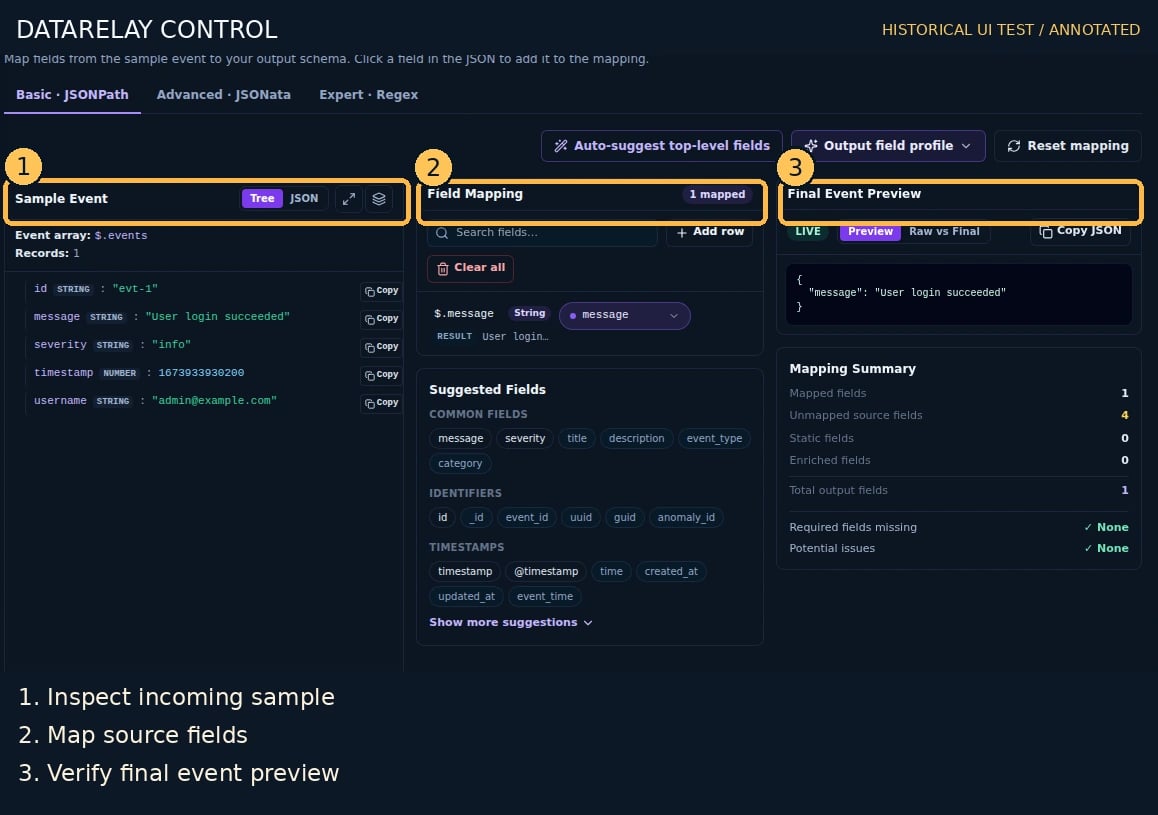

5. Prove independent fan-out
Send one synthetic JSON event to the generated Webhook Receiver URL:received-9011.ndjson and received-9012.ndjson; correlate the same input ID with two Route-specific Logs entries. Verify delivery_scope appears only where the effective external Transform supports it.
PASS = two destination receipts, one Stream, two distinct Route outcomes. If one Route fails, record the per-Route result rather than treating the whole event as fully delivered.
If it fails
- Only one receipt: recheck both Destinations and Routes are enabled and tied to the Stream.
- Identical payloads when expecting differences: verify the override was saved, not merely staged or shown in a preview.
- Deploy says Intent only / a Route reports Inherited: open Routes → Edit, save the complete supported override, then check Effective Status for Overridden.
- A second Stream was created for the other sink: that is not required; consolidate the destinations under one Stream.