Collect from an HTTP API
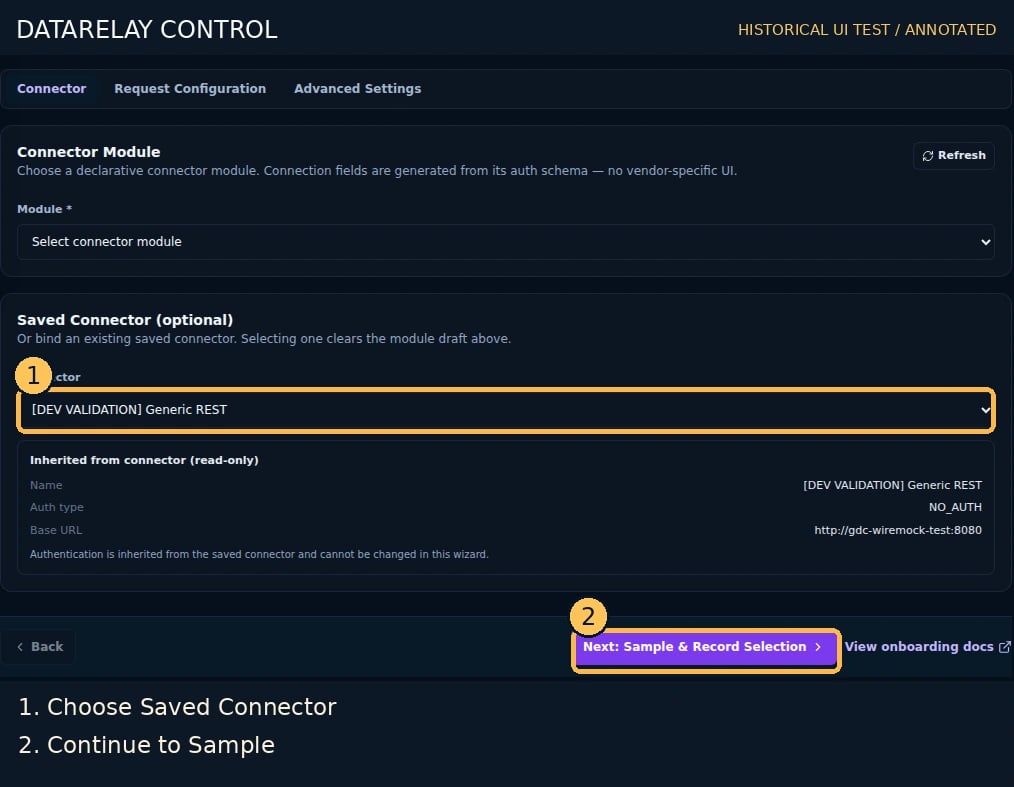
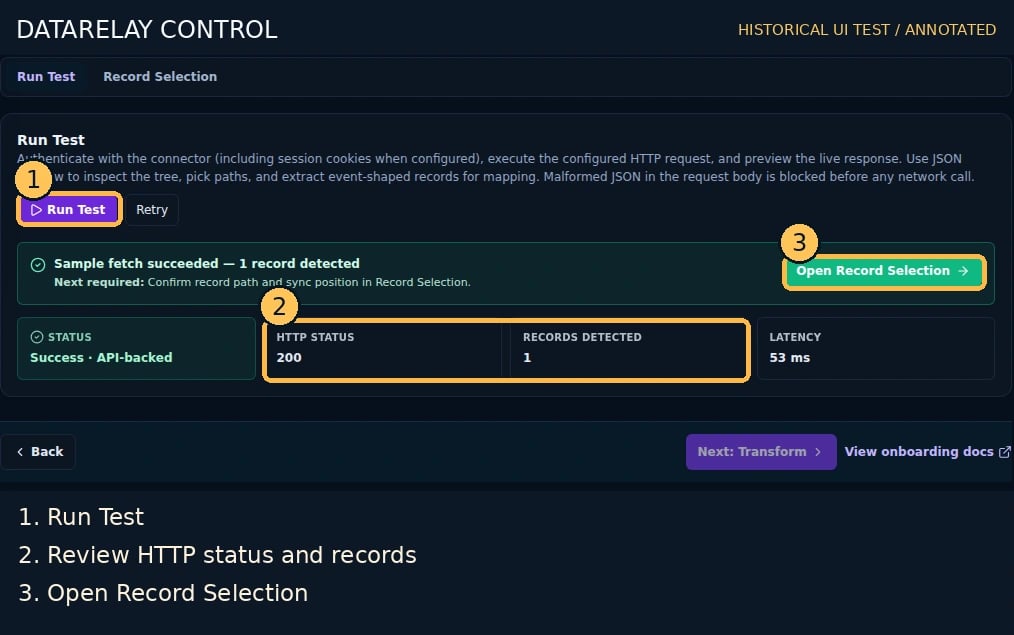
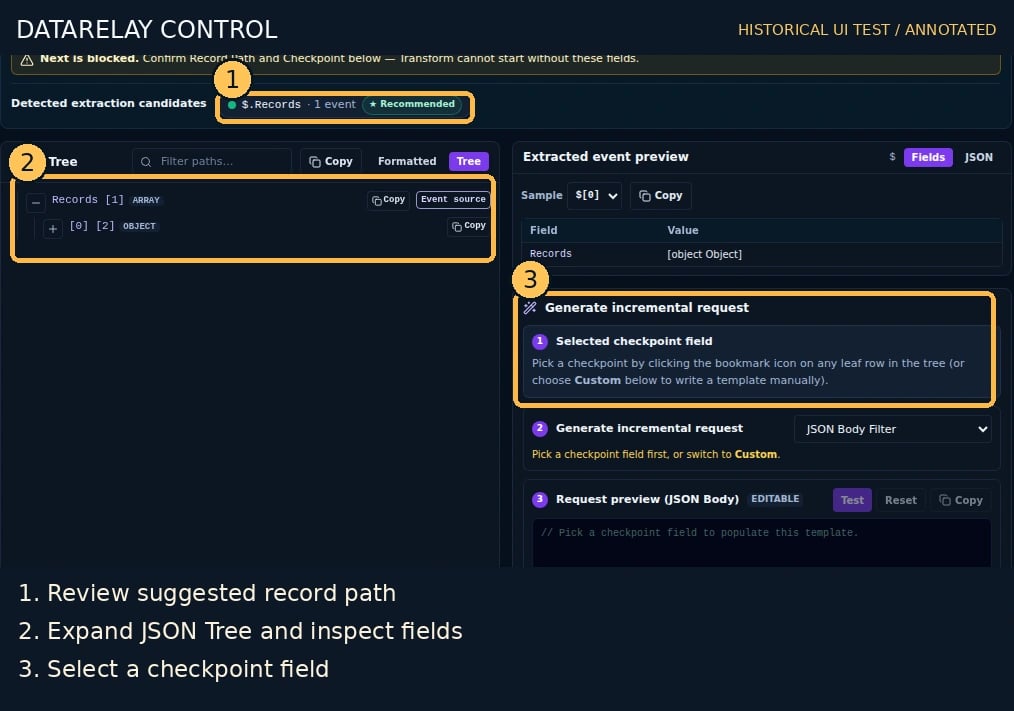
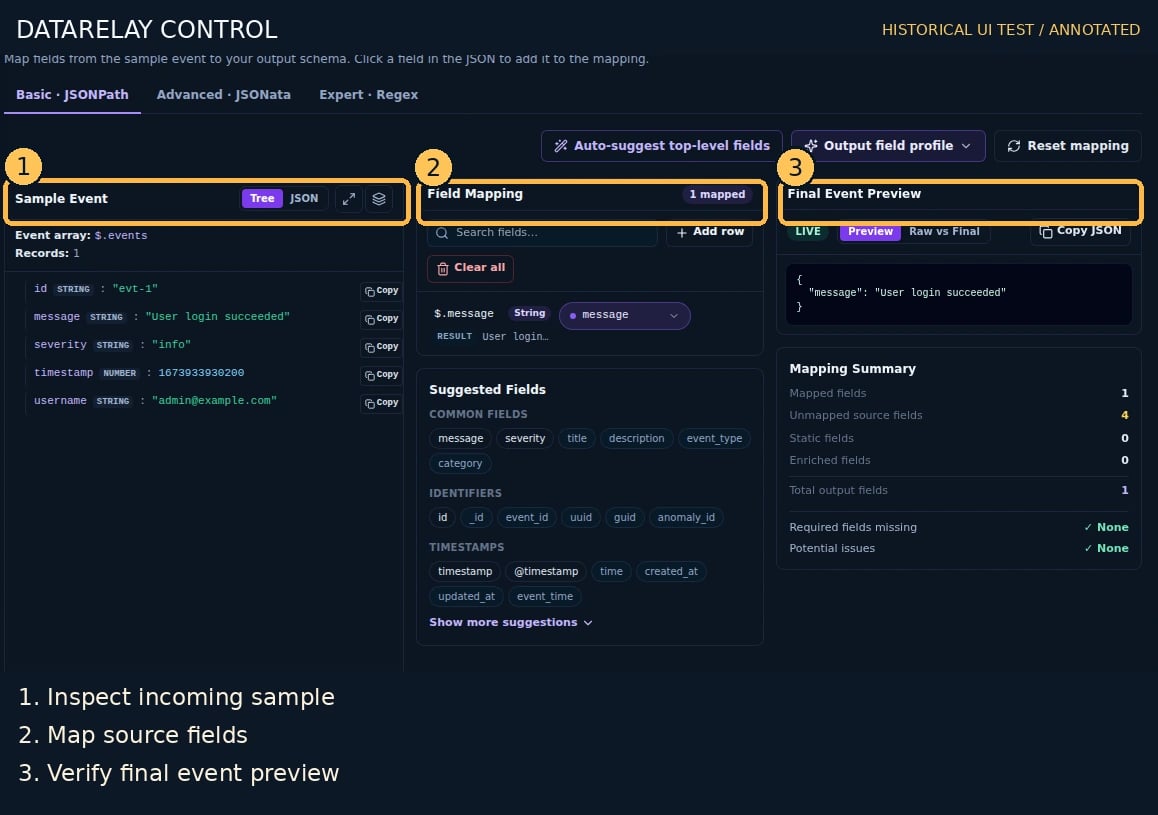
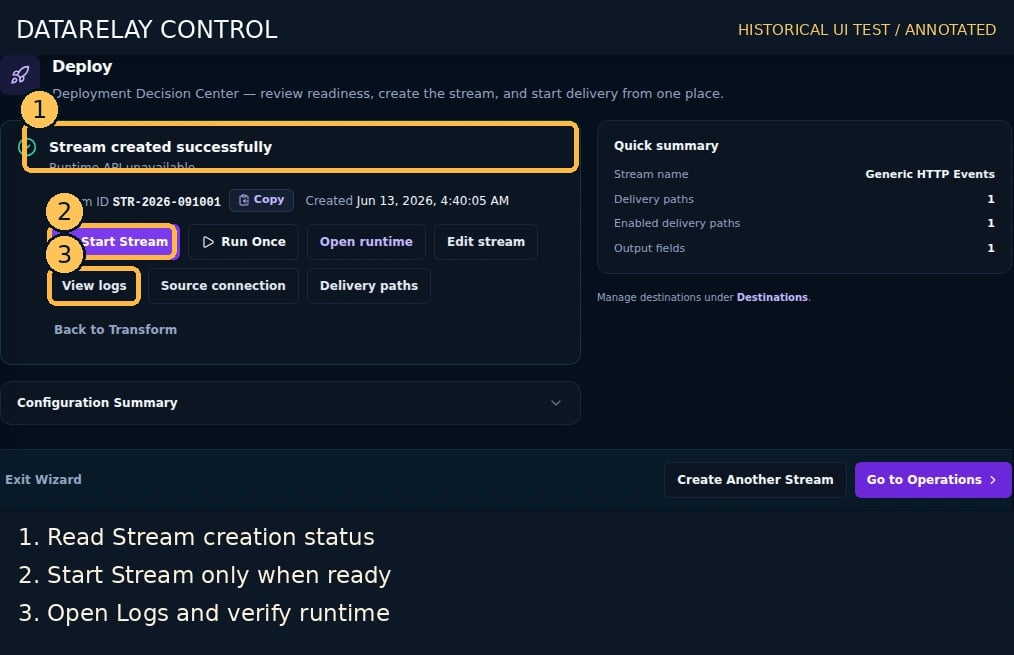
Goal: collect a real vendor API’s events through an existing HTTP API Connector and deliver them through a normal Stream/Route.Screen version: The numbered images are historical Control UI test captures. Follow the current five-step flow (Connect → Sample & Record Selection → Destinations → Route Processing → Deploy), not older step ordering. See the numbered screenshot guide.
End-to-end workflow and acceptance
- Prepare requirements: consult the vendor’s official API/integration guide for endpoint, authentication, least-privilege scope, pagination/checkpoint and sample response. Obtain sanitized test events and actual Destination connectivity information.
- Use ChatGPT for unknowns: supply public documentation and redacted samples; request a checklist of Connector inputs, request parameters, event root, timestamp/ID, cursor and unknowns. Never share secrets. Validate the response with the vendor guide and Run Test.
- Create Connector: Connectors → Create Connector, choose this page’s source type, enter real connection/auth details, save and test connectivity.
- Create Destination: Destinations → Create, choose SYSLOG_UDP/TCP/TLS or WEBHOOK_POST, and configure the actual receiver’s host/port/URL, TLS and authentication.
- Create Stream: Streams → Create → Connect, choose the saved Connector and configure source collection/request settings.
- Confirm samples and schema: Sample & Record Selection → Run Test; verify extracted records, Record Root, Union Schema, pagination and checkpoint.
- Process events: select Destination/Route; configure Mapping, timestamp, enrichment, Masking/Drop/Quarantine in Route Processing. Use Tokenization only if the deployed product supports it. Verify effective Route state and actual output.
- Deploy and prove delivery: resolve readiness findings, start the Stream, and correlate Run ID, Route Logs and the independent Destination receipt. All three are required for PASS.
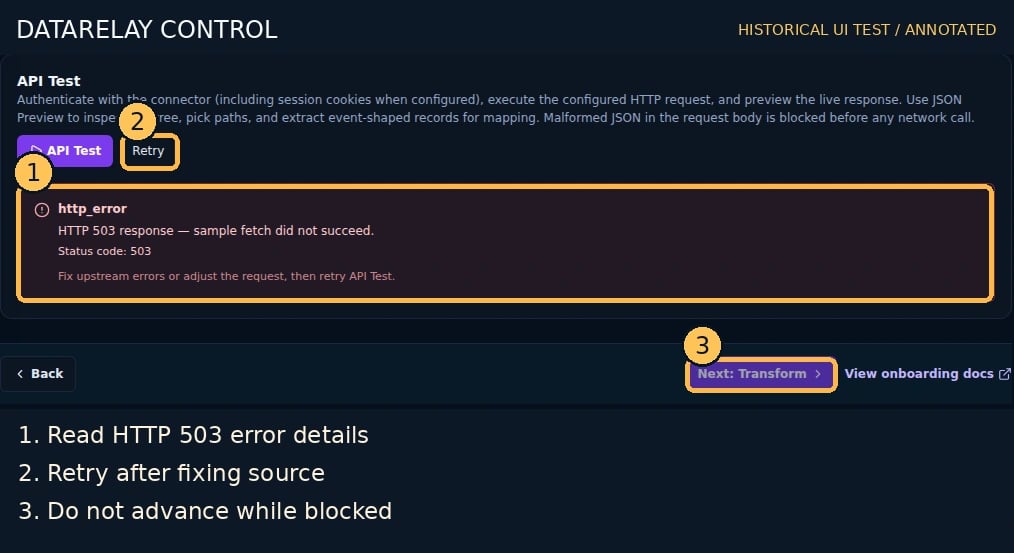
- Diagnose: for connection/auth check API scope, TLS, network and 429; for zero records check record root/pagination; for failed delivery follow Delivery Incident; for changed fields follow Schema Drift.
Suggested ChatGPT prompt
I want to collect this vendor’s logs using DataRelay Control. Based only on the public API guide and redacted JSON sample below, list required Connector connection/auth fields, API request/pagination, event root, timestamp/ID/checkpoint, mapping and sensitive-field protection, and failure diagnostics. Mark undocumented information ‘needs confirmation’ rather than inventing values.
Required input from your API owner
Have an actual reachable base URL, API path and method, auth scheme, a sanitized representative response, and documentation describing pagination and the event cursor. The example values below are placeholders, not a working public API.1. Register and test the Connector
- Go to Connectors → Create Connector and choose HTTP API Polling.
- Enter a meaningful Connector Name and the real Host / Base URL.
- Select the actual supported authentication mode; store secrets using the product’s credential configuration, not in exported samples or public YAML.
- Save; run the Connector connectivity test when supported. Confirm the vendor API, TLS, network, and authorization are correct.
2. Choose the collection contract
- Open
/streams/new, choose the saved Connector in Connect, and enter the actual request path/method/query parameters. - Configure pagination according to vendor documentation (for example page, offset, or cursor); do not assume every endpoint supports the same pagination.
- In Sample & Record Selection → Run Test, retrieve response data. Inspect HTTP status and actual JSON, not just a green connection indicator.
- Switch to Record Selection. Select the array/record root that contains the events. If the response is
{"events":[...]},$.eventsis a candidate only if the UI preview confirms the extracted records. - Review the Union Schema: required fields, rarely appearing fields, and sensitive-field suggestions. The UI may suggest a record or checkpoint path; you must confirm it.
- Configure checkpoint mode and source field using the vendor’s ordering semantics. If no reliable cursor exists, use the supported collection method rather than inventing an incremental checkpoint.
3. Route and deploy
- Select an existing Destination in Destinations (create a test sink first using Lab setup if necessary).
- In Route Processing, review Transform mapping, optional Protection, and the output preview.
- In Deploy, resolve blocking readiness findings. Deploy, start the Stream when required, and record its initial checkpoint.
- Allow a real collection run and verify delivery logs and actual Destination receipts.
4. Verify safe incremental collection
- Record the run ID, extracted event IDs/time range, and checkpoint before the run.
- Run another collection cycle with no new vendor events. Check for unexpected duplicates; do not rely on a visual preview as a cursor correctness test.
- Add a new synthetic vendor event if the testing API permits it. Confirm extraction, delivery, and checkpoint advance after the required successful delivery.
- If the API uses unstable ordering or non-unique timestamps, resolve its pagination/cursor strategy before production rollout.
If it fails
PASS = a newly collected event is found in the independent Destination and its corresponding Route delivery record; no unexpected checkpoint advance on failed delivery.
Related: Schema change, Delivery incident.