

Collect Events from PostgreSQL
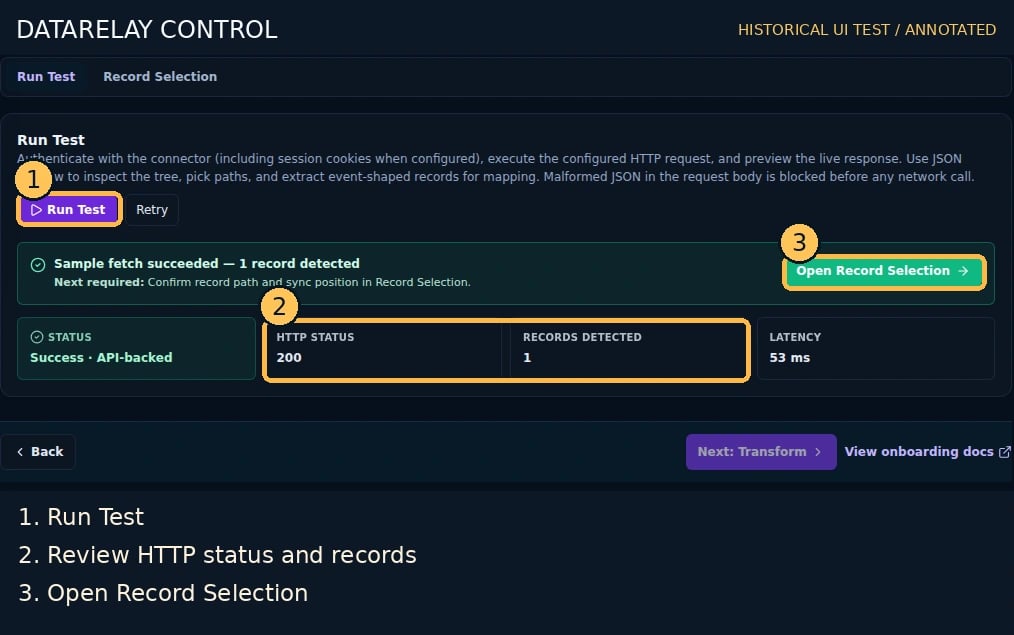
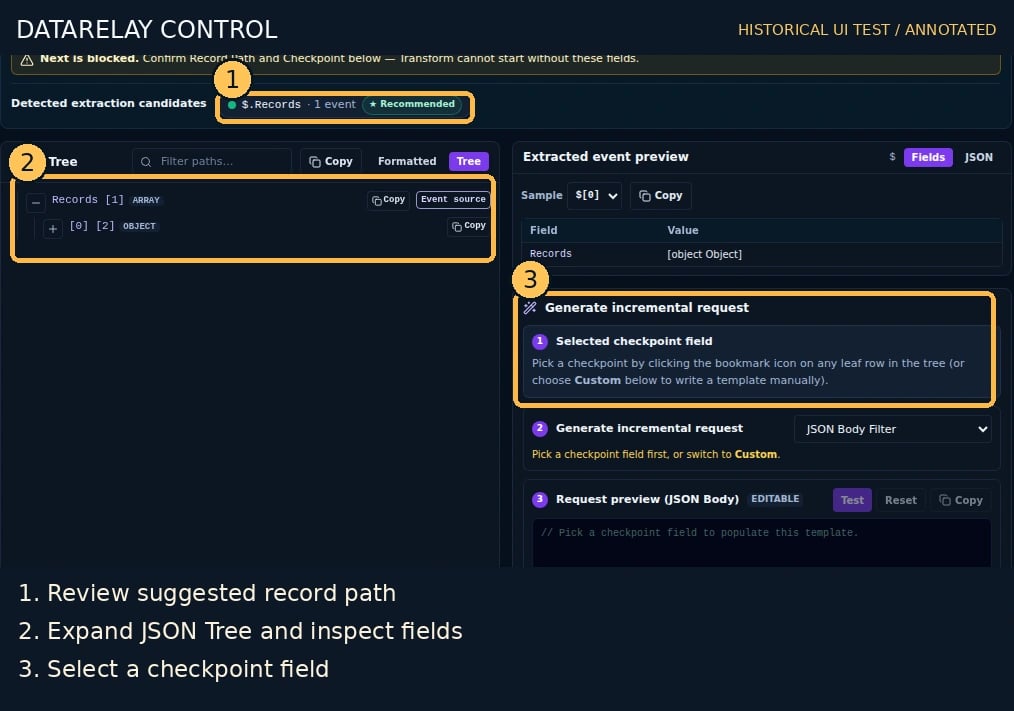
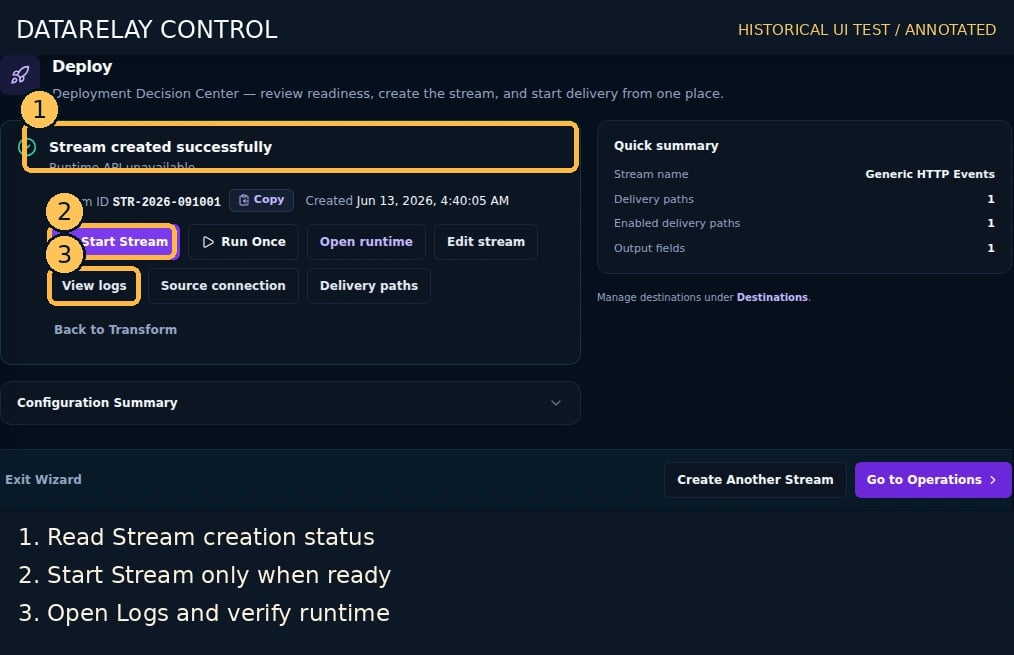
Goal: use the implemented Database query (PostgreSQL) Connector to read a controlled table and send events to an HTTP Destination. This requires a test PostgreSQL database owned by you.Screen version: The numbered images are historical Control UI test captures. Follow the current five-step flow (Connect → Sample & Record Selection → Destinations → Route Processing → Deploy), not older step ordering. See the numbered screenshot guide.
End-to-end workflow and acceptance
- Prepare requirements: consult the vendor’s official API/integration guide for endpoint, authentication, least-privilege scope, pagination/checkpoint and sample response. Obtain sanitized test events and actual Destination connectivity information.
- Use ChatGPT for unknowns: supply public documentation and redacted samples; request a checklist of Connector inputs, request parameters, event root, timestamp/ID, cursor and unknowns. Never share secrets. Validate the response with the vendor guide and Run Test.
- Create Connector: Connectors → Create Connector, choose this page’s source type, enter real connection/auth details, save and test connectivity.
- Create Destination: Destinations → Create, choose SYSLOG_UDP/TCP/TLS or WEBHOOK_POST, and configure the actual receiver’s host/port/URL, TLS and authentication.
- Create Stream: Streams → Create → Connect, choose the saved Connector and configure source collection/request settings.
- Confirm samples and schema: Sample & Record Selection → Run Test; verify extracted records, Record Root, Union Schema, pagination and checkpoint.
- Process events: select Destination/Route; configure Mapping, timestamp, enrichment, Masking/Drop/Quarantine in Route Processing. Use Tokenization only if the deployed product supports it. Verify effective Route state and actual output.
- Deploy and prove delivery: resolve readiness findings, start the Stream, and correlate Run ID, Route Logs and the independent Destination receipt. All three are required for PASS.
- Diagnose: for connection/auth check API scope, TLS, network and 429; for zero records check record root/pagination; for failed delivery follow Delivery Incident; for changed fields follow Schema Drift.
Suggested ChatGPT prompt
I want to collect this vendor’s logs using DataRelay Control. Based only on the public API guide and redacted JSON sample below, list required Connector connection/auth fields, API request/pagination, event root, timestamp/ID/checkpoint, mapping and sensitive-field protection, and failure diagnostics. Mark undocumented information ‘needs confirmation’ rather than inventing values.
1. Prepare the test table
Run the following SQL in an authorized test PostgreSQL database using an administrator account:SELECT on that table. Configure network access from Control to PostgreSQL; do not use a production write-enabled account.
2. Configure the Connector
- Open Connectors → Create Connector, select Database query (PostgreSQL).
- Enter Connector Name =
Lab PostgreSQL, DB type =PostgreSQL. - Set actual Host, Port (typically 5432), Database name, Username, and Password; choose your server’s correct SSL mode (e.g.
VERIFY_FULLwith a valid certificate). - Save and execute the supported database connectivity test. Confirm
SELECTpermission and TLS.
3. Select and test the query
- Open
/streams/new, choose the saved Connector. - Use the database discovery/query builder supported by Connect and Run Test. Use a read-only query like:
- Confirm the query actually returns the synthetic row. Set Record Selection to the returned record set.
- Review column types and checkpoint strategy. If incremental mode is required, use the documented stable cursor/tie-breaker field; the sample timestamp alone is not sufficient evidence of monotonicity or uniqueness.
- Confirm Union Schema and mapped event output.
4. Deploy and verify
- Choose the lab HTTP sink as a
WEBHOOK_POSTDestination. - In Route Processing, review the field mapping/output preview.
- Deploy, start the Stream if needed, and inspect Logs and the sink’s
received-9011.ndjson. - Add an additional synthetic test row with a greater ID/timestamp using your authorized database account; verify collection behavior and absence of unexpected duplicates.
If it fails
- Authentication: check DB host/port/SSL/readonly account.
- Query yields zero rows: inspect database/schema/table selection and timestamp filters.
- Duplicate or omitted rows: inspect event ordering, incremental checkpoint and tie-breaker.
- Database supports something other than PostgreSQL: the documented runtime is PostgreSQL-centric; do not claim another engine is supported without source/fixture proof.